Understanding Network Devices

Have you ever wondered how the internet actually gets to your laptop, phone, or office computer?
From the vast internet outside to your small home WiFi, many network devices work together. Each device has a specific role. If even one is missing, your network might not work properly.
In this blog, I’ll explain the most important network devices in a simple, real-life way, so you can clearly understand how modern networks and backend systems are built.
Big Picture: How Internet Reaches Your Home or Office
Before looking at each device, it is important to understand the overall journey of the internet connection.
In most homes and offices, the internet signal first comes from the internet service provider. That signal then passes through a modem. After that, a router manages how the internet is shared inside the local network. A switch is often used to connect many wired devices. In larger setups, security and traffic management devices like firewalls and load balancers are also added.
This chain of devices forms the basic structure of a network.
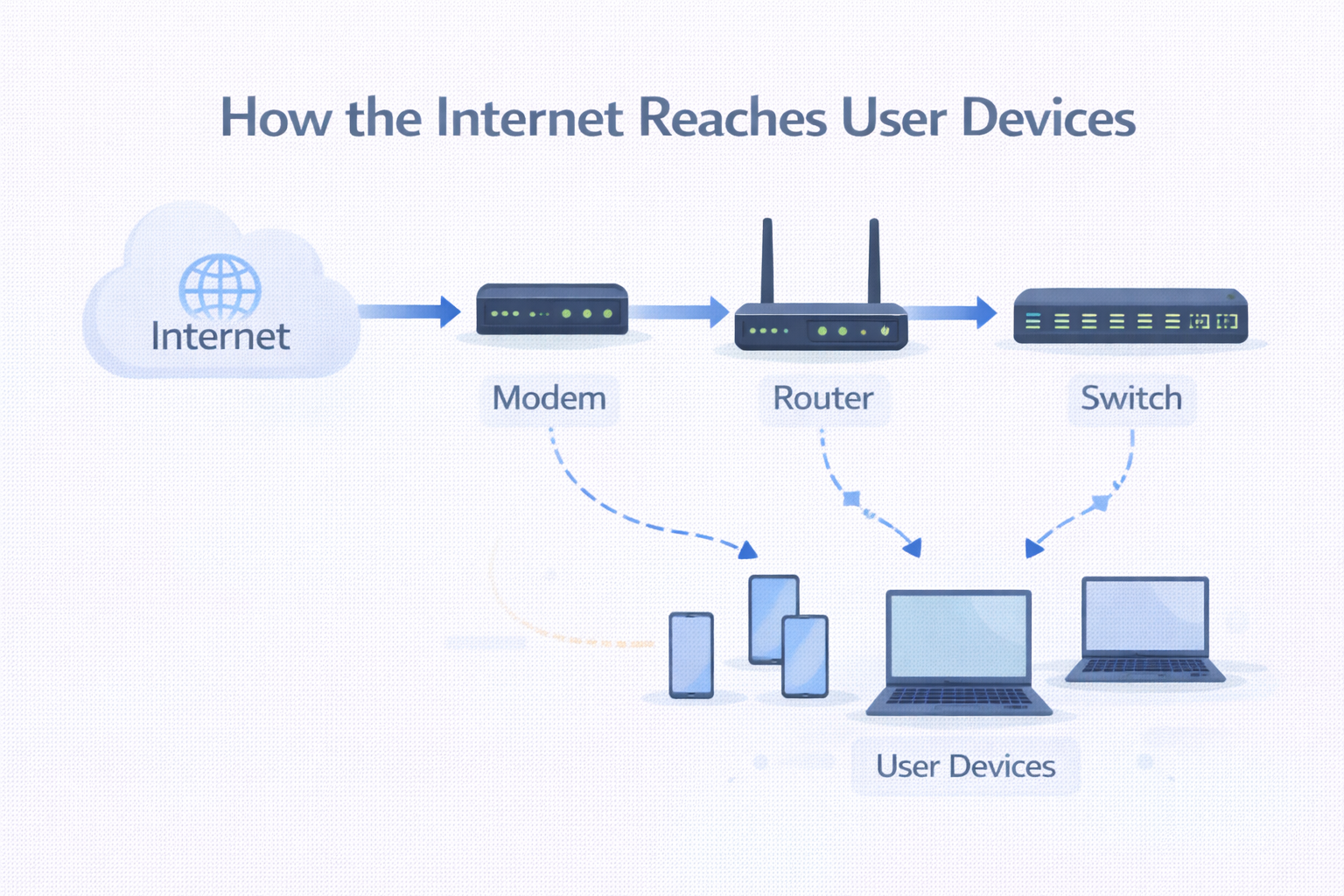
What is a Modem and How It Connects You to the Internet?
A modem is the device that connects your local network to your internet service provider.
Your internet service provider sends internet data using technologies like fiber, cable, or mobile networks. The modem converts this incoming signal into digital data that your network devices can understand.
Without a modem, your local network has no direct connection to the internet. It is the first and most important link between your home or office and the outside internet.
You can think of the modem as the main entry point where the internet enters your building.
What is a Router and How It Directs Traffic?
A router is responsible for directing data to the correct device inside your network.
When multiple devices such as phones, laptops, and smart TVs are connected, the router decides which device should receive which data. It also creates and manages your WiFi network in most home setups.
The router also separates your private local network from the public internet. This helps with basic security and network organization.
In simple terms, the router manages traffic inside your network and decides how data moves between your devices and the internet.
Switch vs Hub: How Local Networks Actually Work
Many beginners get confused between switches and hubs. Although they look similar, they work very differently.
What is a Hub?
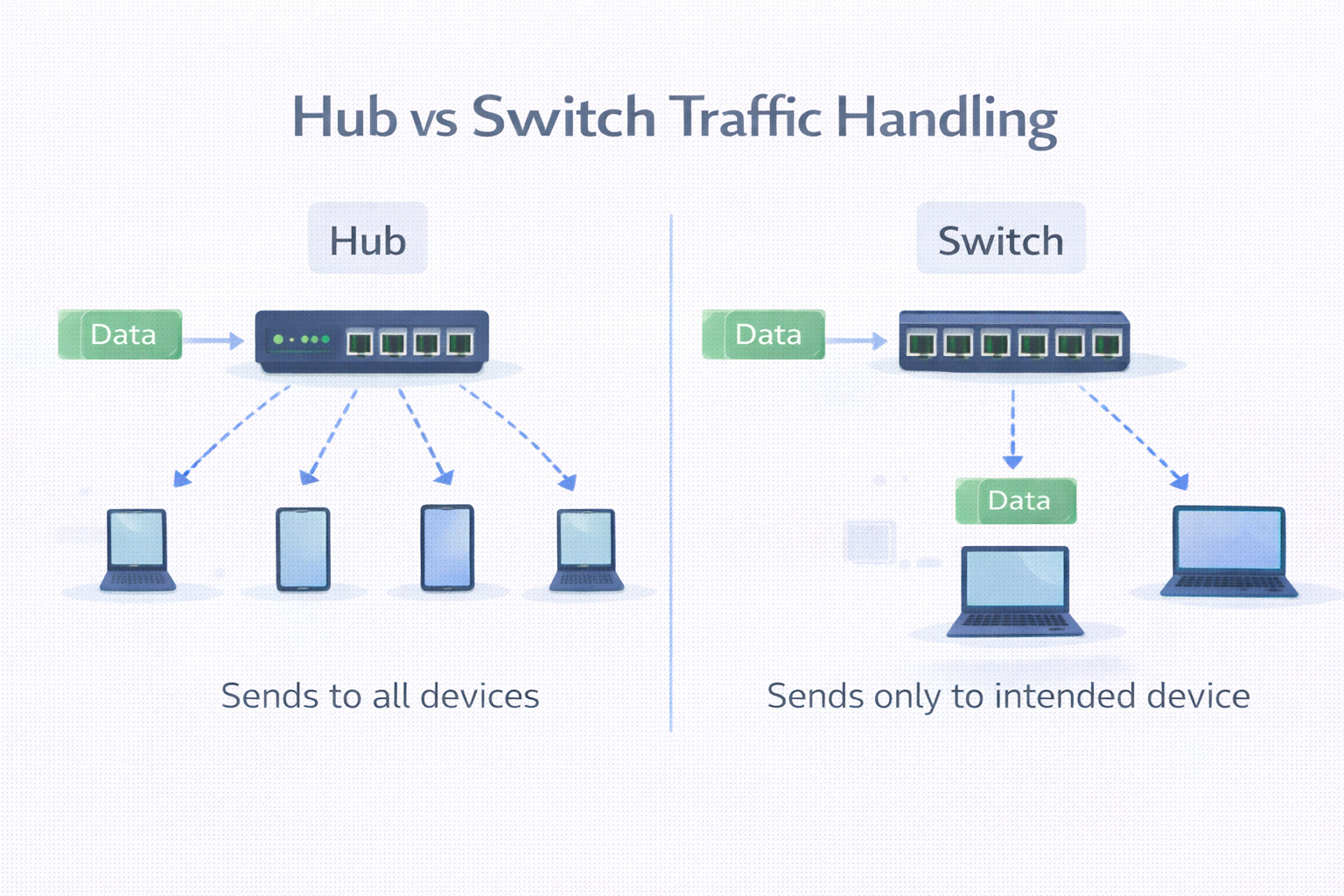
A hub is an older type of network device. It sends incoming data to all connected devices, even if the data is meant for only one device.
Because of this, hubs are slow and not secure. All devices receive all traffic, which creates unnecessary network load. For this reason, hubs are rarely used in modern networks.
What is a Switch?
A switch is a smarter and more modern device. It learns which device is connected to which port. When data comes in, the switch sends it only to the correct device.
This makes switches faster, more efficient, and more secure than hubs. Almost all modern local networks use switches instead of hubs.
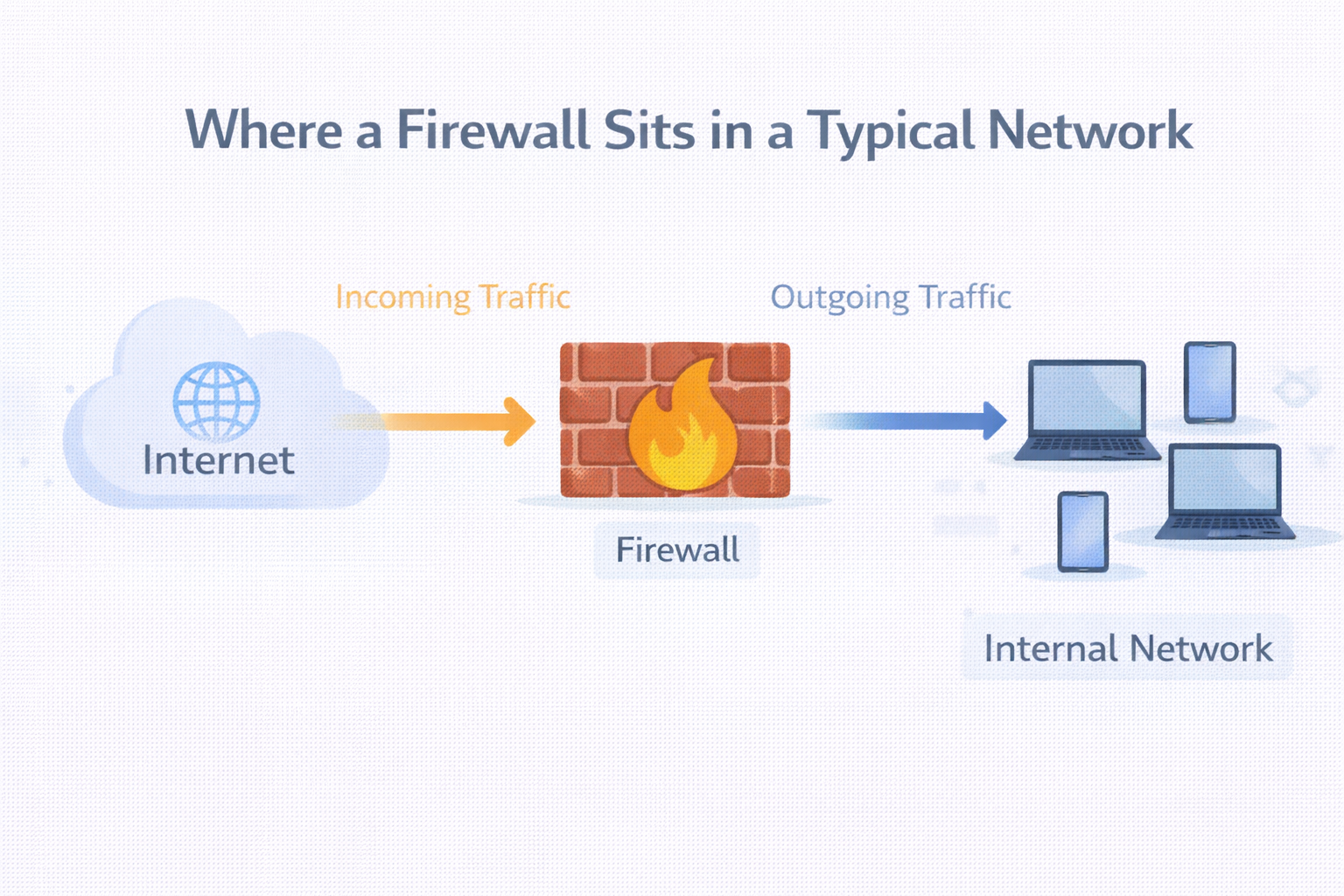
What is a Firewall and Why Security Lives Here?
A firewall is a security device that sits between your network and the outside world to control what traffic is allowed in and out. It works using security rules to block harmful or unwanted traffic while allowing safe and necessary connections.
Firewalls protect your internal systems from hackers, malware, and unauthorized access, which is why they are a core part of security in companies and cloud environments.
Key Points:
Monitors incoming and outgoing network traffic
Allows or blocks traffic based on security rules
Protects internal systems from hacking and malware
Prevents unauthorized access to the network
Plays a critical role in enterprise and cloud security
What is a Load Balancer and Why Scalable Systems Need It?
A load balancer is used when a system has multiple servers handling user requests.
Instead of sending all traffic to one server, the load balancer distributes incoming requests across several servers. This helps prevent any single server from becoming overloaded.
Load balancers also improve reliability. If one server goes down, the load balancer can send traffic to other healthy servers.
This is very important for large websites, backend systems, and cloud-based applications where high availability and performance are required.
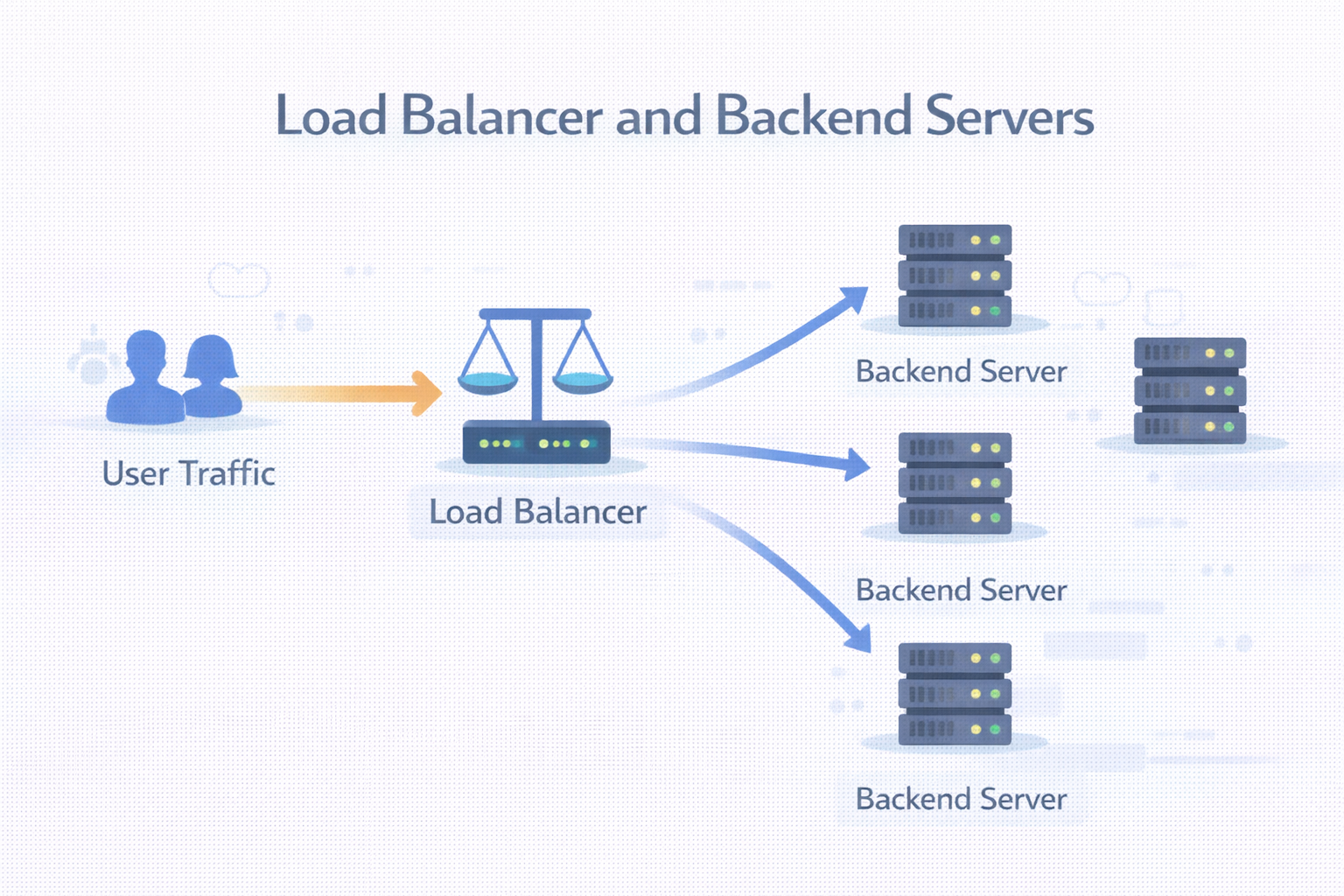
How All These Devices Work Together in a Real Setup
In a typical real-world setup, the internet signal enters through the modem. The router then manages how that connection is shared across the local network. A firewall protects the network by filtering traffic. A switch connects many wired devices or servers. In larger systems, a load balancer sits in front of multiple servers to distribute user requests.
All of these devices work together to create a stable, secure, and scalable network.
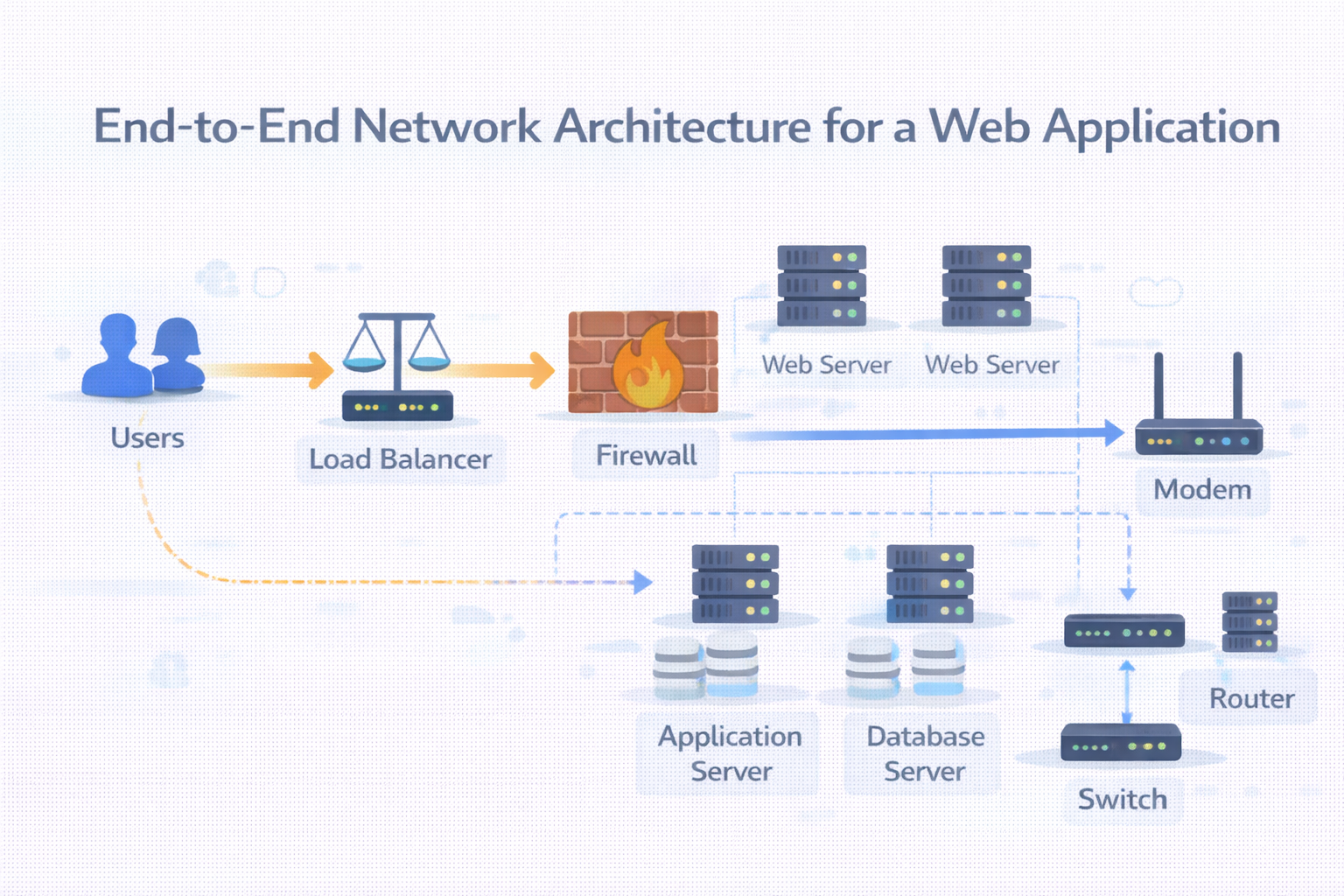
Where These Devices Sit in System Architecture
For software engineers and backend developers, understanding where these devices sit in the architecture is very important.
These devices affect how user requests reach backend services. They also impact security, performance, and system reliability. Even if you are writing application code, the network layer plays a major role in how your system behaves in production.
Connecting This to Backend and Production Systems
In real production environments, load balancers usually sit in front of APIs and web servers. Firewalls protect sensitive resources like databases and internal services. Routers connect different networks and segments. Switches connect groups of servers inside data centers.
So learning about network devices helps you understand how real systems are designed and deployed.
Final Words for Beginners
Network devices are not just physical boxes. They are core building blocks of the modern internet and cloud infrastructure.
Once you understand what each device does and why it exists, topics like cloud computing, DevOps, backend architecture, and system design will become much easier to understand.


